Lesezeit: ca. 3 Minuten
yoJuke is primarily designed for use with a touchscreen. For operation and administration, there is an admin backend where everything can be configured as desired. You can install new updates directly through the backend and expand functionality in a modular way using the plugin system. Some standard plugins are already included with your purchase. Others, however, may still need to be developed... it all depends on your needs :)
The yoJuke software (application) is available for purchase with a lifetime license for 149 Swiss francs.
The yoJuke software (application) is available for purchase with a lifetime license for 149 Swiss francs.
You got a lifetime license and lifetime updates.
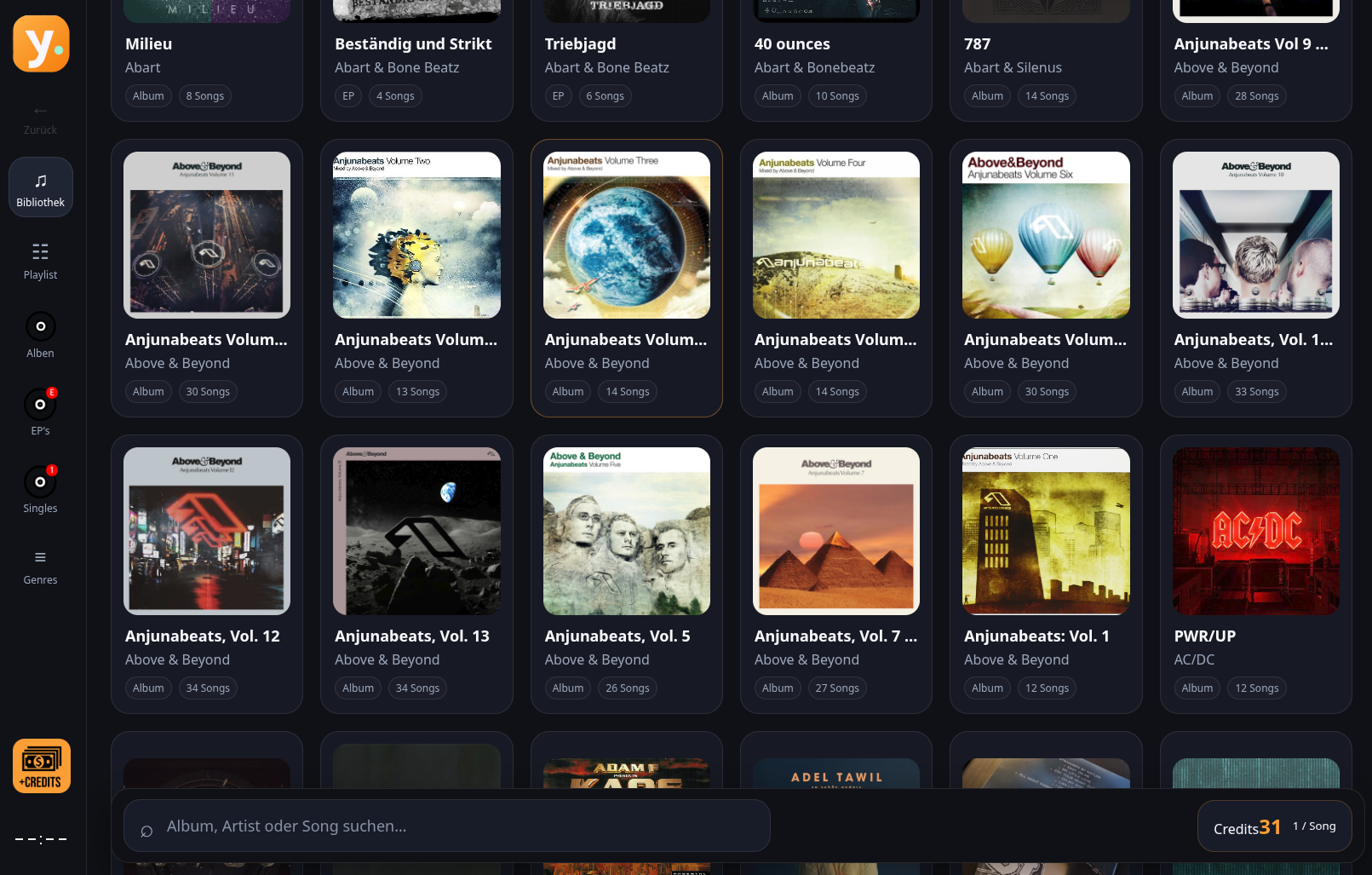
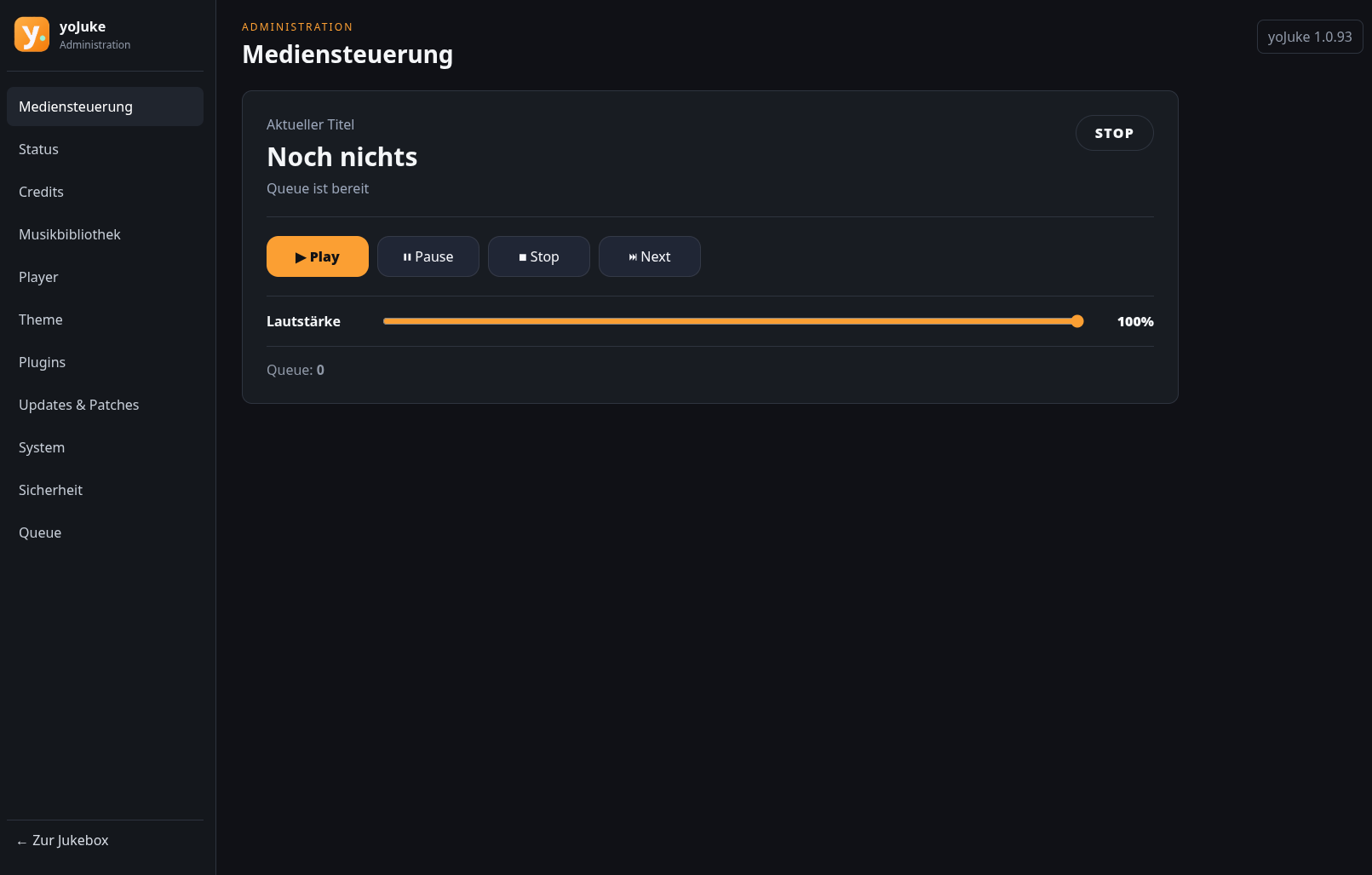
Whether you are building a personal jukebox, creating a party music station or setting up a credit-operated system, yoJuke lets your guests browse, discover and choose the music.
• Touchscreen-friendly interface
Browse your collection through large cover images, clear navigation and an integrated on-screen keyboard.
• Organised music library
Explore albums, EPs, singles and genres. Album artwork and music metadata make your collection easy to navigate, while compilation albums retain the individual artist information for each track.
• Music search
Search by album, artist or song to find a favourite track or discover something new.
• Shared playback queue
Add songs to the playlist and let yoJuke play the selected music in sequence.
• Local music collection
Play music stored on your yoJuke system. Add files through the administration interface or copy them directly into the music folder, then update the library to include new content.
• Free Mode or credit-based operation
Choose unrestricted song selection with Free Mode or use credits to control access. The interface clearly displays the active mode or available credit balance.
• Browser-based administration
Manage your music library, settings, plugins and updates through a web interface that can be accessed from a computer, tablet or smartphone with network access to the system.
• Customisable appearance
Personalise your jukebox with themes and colour options to match your cabinet, room or venue.
• Multiple interface languages
Choose German, English, French or Italian for the core jukebox and administration interfaces. Translation coverage for optional plugins depends on the plugin.
• Expandable plugin system
Extend yoJuke with optional features and hardware integrations as your setup grows.
Optional plugins and integrations include:
• Coin input: Add credits through a compatible USB coin acceptor, with a configurable input key.
• QR-code credit payments: Let users purchase credits through the zahls.ch payment integration.
• NFC controls: Trigger configured actions, such as playback control or adding credits, using compatible NFC hardware.
• Audio output options: Configure supported audio devices or connect to Sonos through the corresponding plugin.
• Additional displays: Show playback information and album artwork on supported external displays, including compatible Lian Li USB LCD hardware.
• Now Playing panel: Add a dedicated playback information panel to the jukebox interface.
Optional features may require separate plugins, compatible hardware, an internet connection or a third-party service.
yoJuke brings the classic jukebox experience to your own digital music collection—with touch control, visual browsing and the flexibility to build a system that fits your needs.
• Touchscreen-friendly interface
Browse your collection through large cover images, clear navigation and an integrated on-screen keyboard.
• Organised music library
Explore albums, EPs, singles and genres. Album artwork and music metadata make your collection easy to navigate, while compilation albums retain the individual artist information for each track.
• Music search
Search by album, artist or song to find a favourite track or discover something new.
• Shared playback queue
Add songs to the playlist and let yoJuke play the selected music in sequence.
• Local music collection
Play music stored on your yoJuke system. Add files through the administration interface or copy them directly into the music folder, then update the library to include new content.
• Free Mode or credit-based operation
Choose unrestricted song selection with Free Mode or use credits to control access. The interface clearly displays the active mode or available credit balance.
• Browser-based administration
Manage your music library, settings, plugins and updates through a web interface that can be accessed from a computer, tablet or smartphone with network access to the system.
• Customisable appearance
Personalise your jukebox with themes and colour options to match your cabinet, room or venue.
• Multiple interface languages
Choose German, English, French or Italian for the core jukebox and administration interfaces. Translation coverage for optional plugins depends on the plugin.
• Expandable plugin system
Extend yoJuke with optional features and hardware integrations as your setup grows.
Optional plugins and integrations include:
• Coin input: Add credits through a compatible USB coin acceptor, with a configurable input key.
• QR-code credit payments: Let users purchase credits through the zahls.ch payment integration.
• NFC controls: Trigger configured actions, such as playback control or adding credits, using compatible NFC hardware.
• Audio output options: Configure supported audio devices or connect to Sonos through the corresponding plugin.
• Additional displays: Show playback information and album artwork on supported external displays, including compatible Lian Li USB LCD hardware.
• Now Playing panel: Add a dedicated playback information panel to the jukebox interface.
Optional features may require separate plugins, compatible hardware, an internet connection or a third-party service.
yoJuke brings the classic jukebox experience to your own digital music collection—with touch control, visual browsing and the flexibility to build a system that fits your needs.
Less baggage. More possibilities.
Don't let cumbersome Windows installations force you into a rigid framework. My system is built on Ubuntu Server 24.04.5 LTS with Ubuntu Frame and my yoJuke software. I'm flexible when it comes to developing new plugins for specific requirements.